 RigLoot
A Tiny But Mighty Small-Form-Factor Build
Full-size 1440p performance in a case you can carry under one arm — no meaningful compromise.
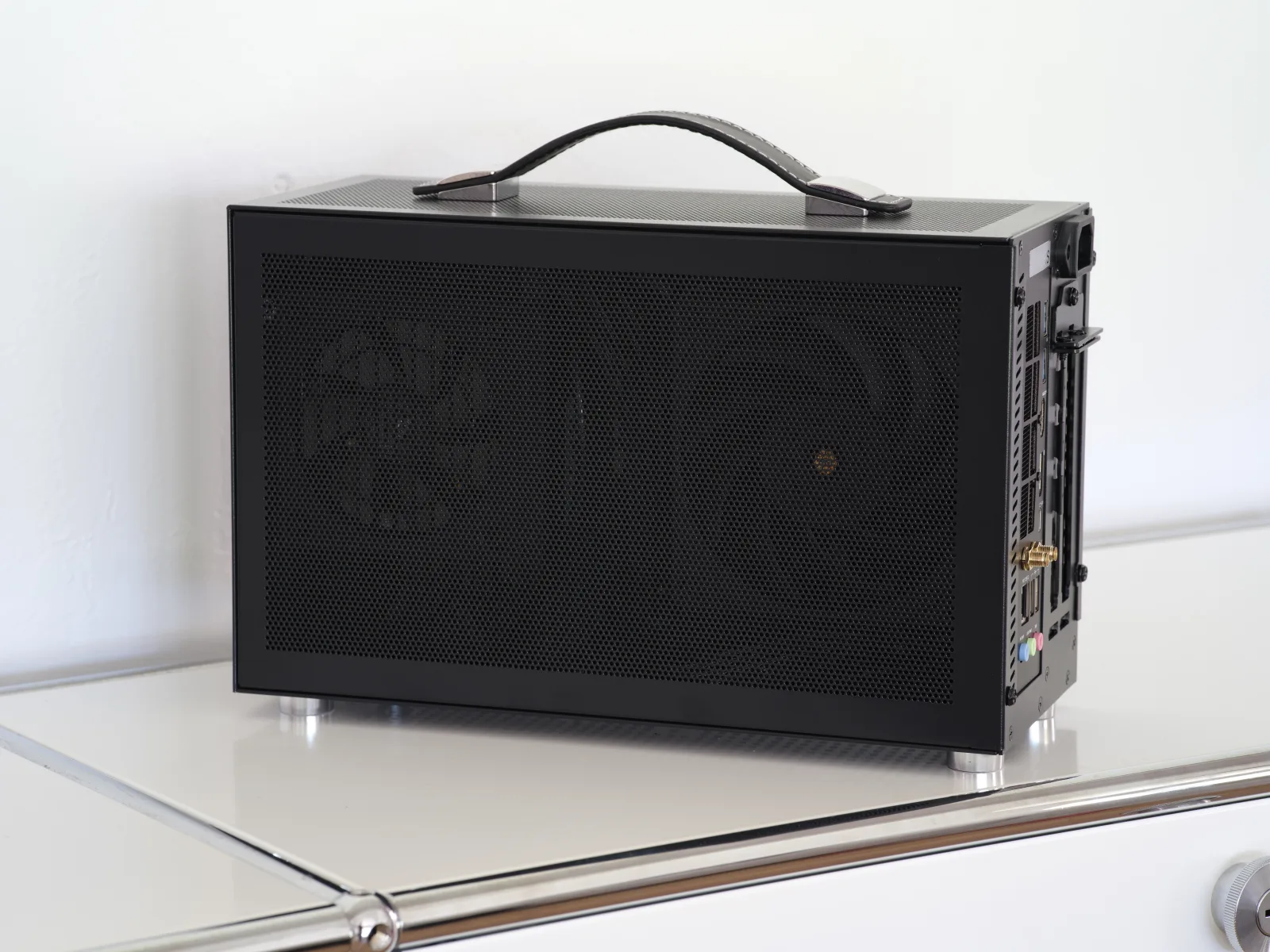
Image: · Dllu · CC BY-SA 4.0
Small-form-factor building is where PC assembly becomes a craft. The reward is a machine that delivers genuine high-end 1440p performance from a case the size of a large toaster — something you can set on a desk without it dominating the room, or carry to a friend's place under one arm. This build proves you no longer have to sacrifice real performance to go small; you only have to plan more carefully.
Who this build is for
This is for the player with limited desk space, the frequent LAN-goer, or anyone who simply appreciates a beautifully compact machine. It targets 1440p high-refresh gaming in a Mini-ITX chassis, and it leans on the most efficient parts available so the small volume stays cool and quiet. Be honest with yourself before you start: SFF costs a little more per frame than a standard tower, and it demands patience during assembly. If those trade-offs do not appeal, a conventional mid-tower will save you money and hassle. But if the compact form is the whole point, this build delivers it without asking you to give up real performance.
The parts list
- CPU — AMD Ryzen 7 7800X3D (~$320): The perfect SFF gaming chip. It delivers flagship-tier gaming performance while drawing remarkably little power and producing little heat — exactly what you want when every watt turns into warmth inside a tiny box.
- GPU — NVIDIA RTX 5070 Ti or a compact RX 9070 (~$720): The centrepiece, and the part that most dictates your case. Choose a shorter dual- or triple-fan model that fits your chassis' clearance — many partner cards are now built with SFF length in mind. This delivers the raster and ray-tracing muscle for 1440p ultra.
- RAM — 32GB (2×16GB) DDR5-6000 CL30 (~$85): Standard low-latency AM5 memory; watch heatsink height if your cooler sits close.
- Storage — 2TB PCIe 4.0 NVMe SSD (~$120): One drive, no cables, big capacity — NVMe is a natural fit for SFF where there is no room for spinning disks.
- Motherboard — B650I (Mini-ITX) (~$200): ITX boards command a premium but pack full features: robust VRMs, Wi-Fi, and usually two M.2 slots. Pick one with a convenient rear M.2 and a good BIOS Flashback button.
- PSU — SFX 750W 80+ Gold (~$140): An SFX power supply is what makes the small volume possible. 750W of Gold-rated, ATX 3.x power feeds this hardware with headroom, and modular cables are essential for managing the tight interior.
- Case — Mini-ITX chassis (~$150): A Fractal Terra, Cooler Master NR200P or Lian Li A4-H2O. Match the case to your GPU length and cooler height before anything else — the case defines the build.
- Cooling — low-profile air or 240mm AIO (~$100): Depending on the case, either a top-tier low-profile cooler like a Noctua NH-L12S or a 240mm AIO. The efficient 7800X3D makes either viable.
All told this lands around $1,800, and the money buys you performance indistinguishable from a full tower in a fraction of the footprint.
Expected performance
Thermals permitting, this SFF machine performs within a whisker of the same parts in a big case: 1440p ultra above 100 FPS in most titles, 200+ FPS in competitive games, and ray tracing on with DLSS/FSR in the heavy hitters. Expect the GPU to run a few degrees warmer than it would in a mid-tower, which is normal — well-designed SFF cases keep it firmly within safe limits. It is a legitimate 4K 60 machine as well, all from a box you can pack in a backpack.
Build tips and pitfalls
Plan the build on paper first: confirm GPU length, cooler height and PSU clearance against your exact case's spec sheet — SFF has no tolerance for parts that "nearly" fit. Build modular cables to length and route them before final assembly, because you cannot get a hand in afterwards. Test-boot the components on the bench outside the case before you commit to the cramped final install. Set a sensible fan curve and, if your GPU supports it, a mild undervolt — it drops temperatures and noise for essentially free, which matters far more in a small volume. Above all, take your time: SFF rewards patience and punishes rushing.